TACOCONTROL Z1 S
Appendix for service personnel
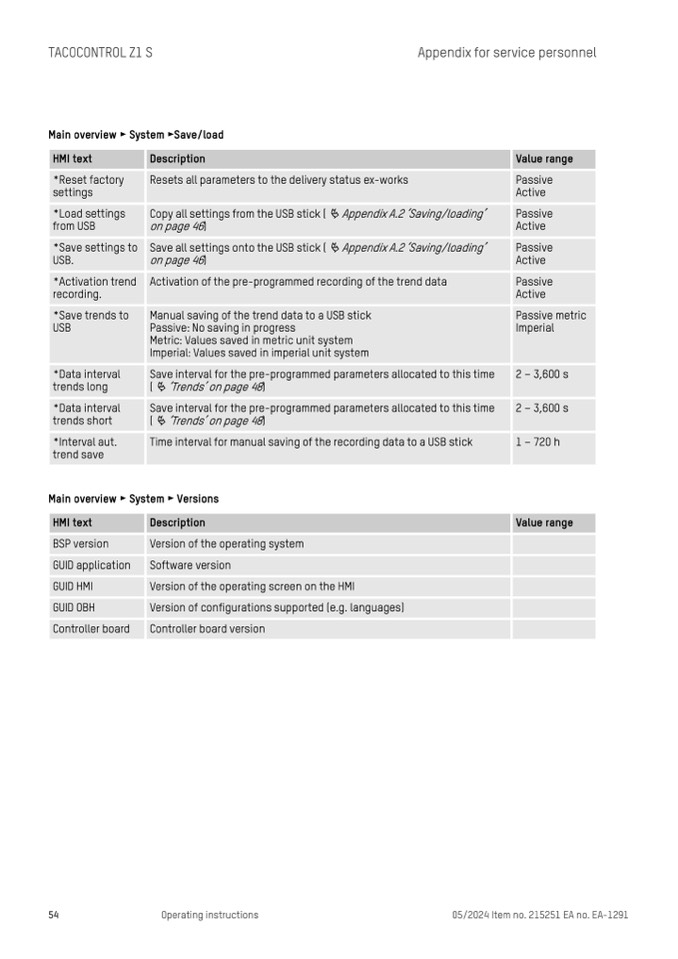
Main overview ► System ►Save/load
HMI text
Description
Value range
*Reset factory
settings
Resets all parameters to the delivery status ex-works
Passive
Active
*Load settings
from USB
Copy all settings from the USB stick (
Ä Appendix A.2 ‘Saving/loading’
on page 46)
Passive
Active
*Save settings to
USB.
Save all settings onto the USB stick ( Ä Appendix A.2 ‘Saving/loading’
on page 46)
Passive
Active
*Activation trend
recording.
Activation of the pre-programmed recording of the trend data
Passive
Active
*Save trends to
USB
Manual saving of the trend data to a USB stick
Passive: No saving in progress
Metric: Values saved in metric unit system
Imperial: Values saved in imperial unit system
Passive metric
Imperial
*Data interval
trends long
Save interval for the pre-programmed parameters allocated to this time
(
Ä ‘Trends’ on page 48)
2 – 3,600 s
*Data interval
trends short
Save interval for the pre-programmed parameters allocated to this time
(
Ä ‘Trends’ on page 48)
2 – 3,600 s
*Interval aut.
trend save
Time interval for manual saving of the recording data to a USB stick
1 – 720 h
Main overview ► System ► Versions
HMI text
Description
Value range
BSP version
Version of the operating system
GUID application
Software version
GUID HMI
Version of the operating screen on the HMI
GUID OBH
Version of configurations supported (e.g. languages)
Controller board
Controller board version
54
Operating instructions
05/2024 Item no. 215251 EA no. EA-1291
